
The suffer I had building a website felt like a weekend project that somehow turned into a month long headache.
I still remember helping a friend launch a small online business. We spent hours choosing themes, fixing broken lay outs, resizing images, and trying to make everything look professional. By the time the site was ready, we were already exhausted.
Fast forward to 2026, and things look completely different.
Recently, I tested several AI website builders while creating landing pages, portfolio sites, and small business websites. What surprised me wasn’t just how fast these tools worked. It was how good the final results looked without touching a single line of code.
Some AI builders can generate an entire website from a few sentences. Others create content, images, layouts, and SEO settings automatically. A process that once took days can now take minutes.
That doesn’t mean every AI website builder is worth using.
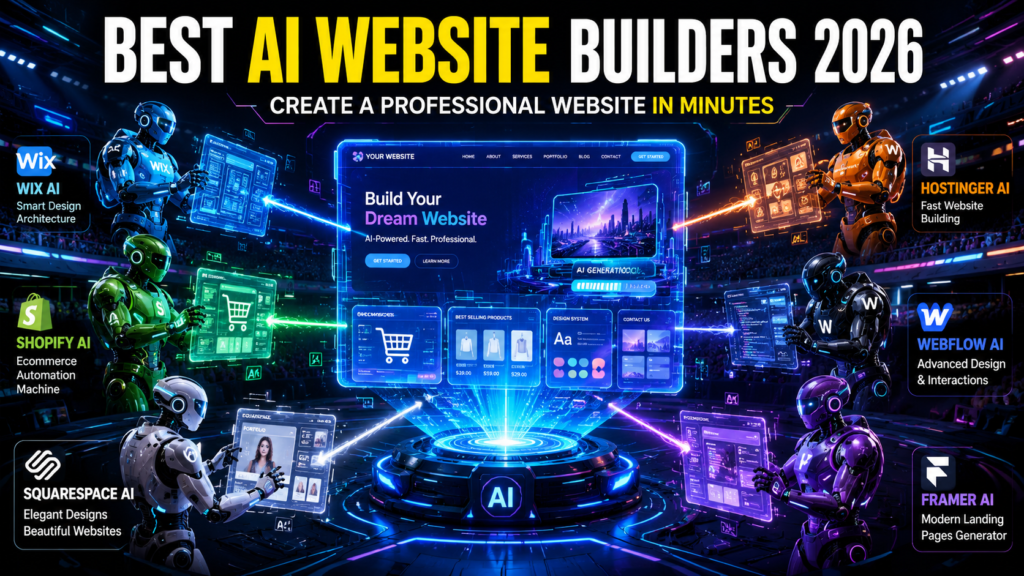
After spending time with the most popular options available today, here are the best AI website builders in 2026 and where each one shines.
Why AI Website Builders Are Taking Over
Most people don’t want to learn web design.
They simply want a website that looks professional and works properly.
That’s exactly where AI builders excel.
Instead of manually choosing every design element, you answer a few questions such as:
- What type of website do you need?
- What is your business name?
- What services do you offer?
- What style do you prefer?
The AI then generates:
- Website layouts
- Color schemes
- Images
- Written content
- SEO settings
- Contact forms
- Navigation menus
For freelancers, local businesses, startups, and content creators, this can save countless hours.
1. Wix AI Website Builder


6
Wix has been around for years, but its AI capabilities have become incredibly impressive.
When I tested it, I simply described the type of business website I wanted. Within minutes, Wix generated a complete website structure, including service pages, contact sections, and branded design elements.
What I liked most was the balance between automation and customization.
The AI does the heavy lifting, but you still have enough control to personalize everything.
Best For
- Small businesses
- Freelancers
- Agencies
- Service providers
Pros
- Fast setup
- Strong design quality
- Excellent templates
- Built in SEO tools
- Easy editing
Cons
- Some advanced features require higher plans
- Large sites can become complex to manage
2. Hostinger AI Website Builder
Hostinger surprised me more than any other platform.
I initially expected a basic website builder, but its AI system generated a surprisingly polished business website.
The platform asks a few questions about your business and automatically creates pages, text, branding elements, and layouts.
What stood out was speed.
I managed to create a complete demo website in less than ten minutes.
Best For
- Beginners
- Local businesses
- Side projects
- Personal brands
Pros
- Very affordable
- Beginner friendly
- Fast AI generation
- Good performance
Cons
- Fewer advanced customization options
- Smaller template library than Wix
3. Squarespace AI Tools
Squarespace has always been known for beautiful design.
Its AI features now make launching those beautiful websites significantly easier.
When creating portfolio websites, I consistently found Squarespace designs to look more premium than many competitors.
Photographers, designers, artists, and consultants will especially appreciate its visual quality.
Best For
- Creative professionals
- Portfolios
- Personal brands
- Consultants
Pros
- Premium designs
- Excellent mobile optimization
- Strong blogging features
- Beautiful templates
Cons
- Slightly higher learning curve
- Less flexible than Wix
4. Shopify Magic and AI Store Builder
If your goal is selling products, Shopify remains difficult to beat.
Its AI tools help generate:
- Product descriptions
- Store content
- Marketing copy
- Email campaigns
- Store layouts
While testing Shopify for a small ecommerce project, I noticed how much time the AI saved on product listings alone.
Writing hundreds of product descriptions manually is exhausting. Shopify’s AI removes much of that workload.
Best For
- Ecommerce stores
- Dropshipping businesses
- Product brands
- Online retailers
Pros
- Powerful ecommerce tools
- Excellent scalability
- AI generated content
- Strong app ecosystem
Cons
- Higher cost than simple website builders
- More features than some users need
5. Webflow AI
Webflow sits in an interesting category.
It’s more advanced than beginner focused builders but easier than traditional web development.
Its AI tools help generate layouts, content, and design suggestions while still giving designers substantial control.
When I tested Webflow AI, I found it ideal for users who want professional grade websites without hiring developers.
Best For
- Agencies
- Designers
- Startups
- Advanced users
Pros
- Professional flexibility
- Powerful design capabilities
- Excellent performance
- Modern workflows
Cons
- Learning curve
- Not ideal for complete beginners
6. Framer AI
Framer AI feels almost magical the first time you use it.
You type a simple prompt describing your website, and Framer generates a polished design almost instantly.
I tested it by entering a description for a digital marketing agency website.
The result looked surprisingly close to something a professional designer would build.
Best For
- Landing pages
- Startups
- SaaS products
- Marketing websites
Pros
- Extremely fast
- Modern designs
- Great animations
- Excellent user experience
Cons
- Limited ecommerce features
- Less mature ecosystem
How to Build a Website with AI in Under 30 Minutes
The process is much simpler than most people expect.
Step 1: Define Your Goal
Ask yourself:
- Business website?
- Portfolio?
- Blog?
- Ecommerce store?
The clearer your goal, the better the AI performs.
Step 2: Gather Basic Information
Prepare:
- Business name
- Services
- Logo (if available)
- Contact details
- Social media links
Step 3: Choose an AI Builder
Different builders excel at different tasks.
For example:
- Wix for versatility
- Shopify for ecommerce
- Squarespace for portfolios
- Framer for landing pages
Step 4: Generate Your Website
Most AI builders ask a few simple questions.
The AI then creates:
- Homepage
- About page
- Service pages
- Contact page
Step 5: Customize Important Sections
Never publish immediately.
Review:
- Headlines
- Contact information
- Images
- Service descriptions
- Pricing details
Step 6: Optimize for Search Engines
Even the best AI generated site benefits from basic SEO.
Focus on:
- Clear page titles
- Useful content
- Fast loading speed
- Mobile responsiveness
Mistakes I See People Make
Trusting AI Content Without Reviewing It
AI generated text has improved dramatically, but it’s not perfect.
Always review every page before publishing.
I often find small inaccuracies, generic phrases, or wording that doesn’t match the brand.
Using Too Many AI Generated Images
Some websites look overly artificial because every image was generated by AI.
Mix AI visuals with real photos whenever possible.
Real images build trust.
Ignoring Mobile Optimization
Most visitors now arrive from smartphones.
Always test:
- Menus
- Buttons
- Contact forms
- Images
on mobile devices before launch.
Choosing the Wrong Builder
A common mistake is selecting a builder that doesn’t match your goals.
For example:
- Shopify is excellent for stores.
- Squarespace shines for portfolios.
- Framer is great for landing pages.
Using the right platform from the start saves time later.
Which AI Website Builder Should You Choose?
If someone asked me today for a quick recommendation, here’s how I’d break it down:
| Need | Recommended Builder |
|---|---|
| Overall Best | Wix |
| Budget Friendly | Hostinger |
| Portfolio Website | Squarespace |
| Online Store | Shopify |
| Advanced Design | Webflow |
| Fast Landing Pages | Framer |
Each platform has strengths, and none are perfect for every situation.
The good news is that website creation is no longer the technical challenge it once was.
The biggest difference between successful websites and unsuccessful ones isn’t the builder itself. It’s the quality of the information, products, services, and experience you provide once visitors arrive.
AI can build the website in minutes.
Building trust with your audience is still the part that matters most.
Frequently Asked Questions
What is the best AI website builder in 2026?
Wix is currently one of the best AI website builders in 2026 because it combines powerful AI generation, flexible customization, SEO tools, and professional templates suitable for businesses, freelancers, and agencies.
Can AI create a complete website automatically?
Yes. Modern AI website builders can generate layouts, content, images, navigation menus, contact forms, and SEO settings automatically after you answer a few questions about your business.
Which AI website builder is best for beginners?
Hostinger AI Website Builder is one of the most beginner friendly options. Its setup process is simple, affordable, and allows users to create a professional website in less than ten minutes.
Is Shopify good for AI website creation?
Shopify is excellent for ecommerce websites. Its AI tools help create product descriptions, marketing content, email campaigns, and store layouts, making online store management much easier.
Can AI website builders help with SEO?
Yes. Most AI website builders automatically generate SEO friendly page titles, meta descriptions, mobile friendly layouts, and website structures that improve search engine visibility.
Are AI generated websites mobile friendly?
Most modern AI website builders automatically create responsive websites that work well on smartphones, tablets, and desktop devices. However, manual testing is always recommended before publishing.
Is Framer AI better than Wix?
It depends on your goal. Framer AI excels at creating modern landing pages and startup websites quickly, while Wix provides more flexibility and features for complete business websites.
Do AI website builders require coding skills?
No. Most AI website builders are designed for non-technical users and allow website creation through prompts, drag and drop editing, and AI assisted customization without coding knowledge.
Pingback: AI Productivity Stack for Solopreneurs in 2026: Ultimate Guide to Boost Productivity Fast