
I still remember helping a friend who runs a small online store. Every day looked the same: answering customer questions, replying to emails, creating social media posts, updating inventory, following up with leads, and trying to keep track of everything in spreadsheets.
The funny part? None of those tasks directly made him money.
He wasn’t struggling because he lacked customers. He was struggling because he was doing the work of five people.
A year ago, hiring more staff seemed like the only solution. Today, that answer looks very different.
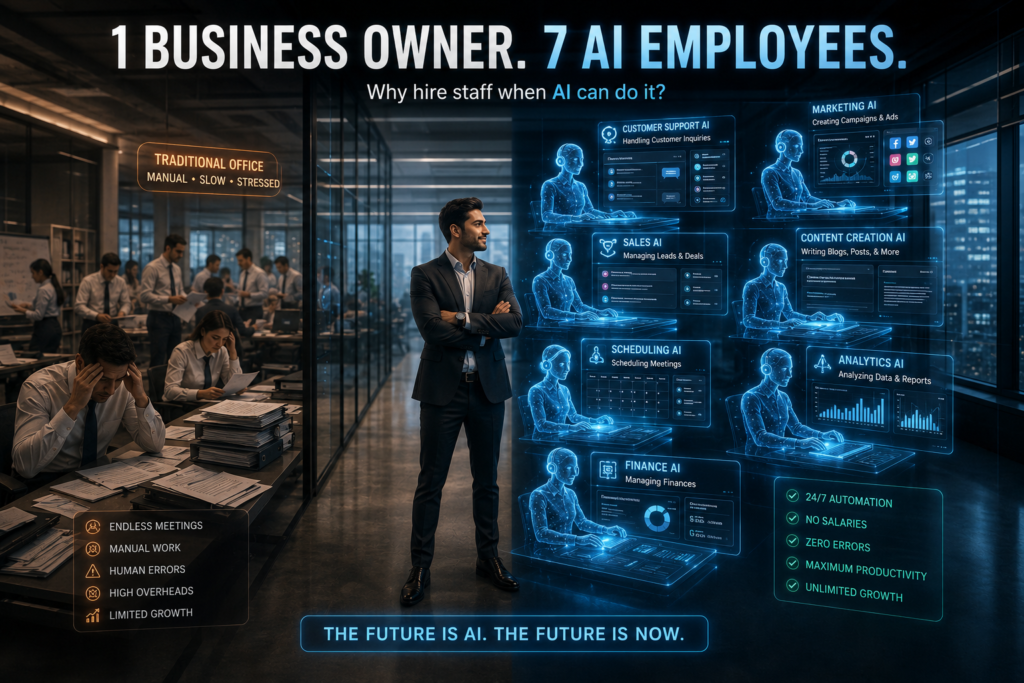
The rise of AI agents has changed how small businesses operate. Unlike simple chatbots that only answer questions, AI agents can take action. They can read emails, manage customer support, schedule appointments, create content, analyze data, and even coordinate with other software automatically.
I’ve spent the last several months testing different AI agents across content websites, e-commerce stores, and service based businesses. Some were impressive. Others created more work than they saved.
Here are the AI agents that actually help small businesses save time in 2026.
What Is an AI Agent?
Think of an AI agent as a digital employee.
Instead of waiting for instructions every second, it can perform tasks on its own based on goals and rules you set.
For example:
- A chatbot answers customer questions.
- An AI agent answers customer questions, checks inventory, creates a support ticket, sends a follow up email, and updates your CRM automatically.
That’s the difference.
The best AI agents don’t just talk.
They work.
1. OpenAI Operator
Website:
https://openai.com
Best for:
General business automation
One of the most interesting tools I’ve tested recently is Operator.
Imagine telling an assistant:
“Check new leads, update my spreadsheet, reply to customer inquiries, and prepare a daily report.”
Instead of manually clicking through dozens of tabs, the AI can perform many of those tasks itself.
What impressed me most was how it handled repetitive workflows. A task that normally took 30 minutes often finished in just a few minutes.
Practical Use Cases
- Lead management
- CRM updates
- Customer support
- Scheduling
- Data entry
- Reporting
Pros
- Powerful automation
- Learns workflows quickly
- Saves significant time
Cons
- Requires setup
- More powerful than some small businesses initially need
2. Claude Business Agents
Website:
https://www.anthropic.com
Best for:
Research, documentation, and customer communication
Many business owners underestimate how much time gets wasted writing.
Emails.
Proposals.
Client updates.
Internal documentation.
Claude excels at handling long form communication.
I used it to help organize project notes for a content business. Instead of digging through dozens of documents, Claude could summarize everything in minutes.
Practical Use Cases
- Client proposals
- Internal knowledge bases
- Documentation
- Meeting summaries
- SOP creation
Pros
- Excellent writing quality
- Handles large documents
- Strong reasoning abilities
Cons
- Less focused on browser automation
3. Microsoft Copilot Agents
Website:
https://www.microsoft.com/copilot
Best for:
Businesses already using Microsoft 365
If your company lives inside Excel, Outlook, Teams, and Word, Copilot feels surprisingly natural.
A local business owner I know uses it primarily for email management and reporting.
Instead of spending hours creating weekly reports, Copilot pulls information from spreadsheets and drafts summaries automatically.
Practical Use Cases
- Email management
- Excel analysis
- Team collaboration
- Reporting
- Meeting notes
Pros
- Deep Microsoft integration
- Easy adoption
- Good security controls
Cons
- Best value for Microsoft users
4. Zapier AI Agents
Website:
https://zapier.com
Best for:
Connecting multiple apps
Zapier has always been known for automation.
The AI agent version takes things further.
One workflow I built automatically:
- Captured website leads.
- Added them to a CRM.
- Sent a welcome email.
- Created a follow up task.
- Notified the sales team.
No manual work required.
Practical Use Cases
- Lead generation
- CRM automation
- Marketing workflows
- Customer onboarding
Pros
- Works with thousands of apps
- Beginner friendly
- Fast deployment
Cons
- Costs can increase as usage grows
5. Lindy AI
Website:
https://www.lindy.ai
Best for:
Virtual assistant tasks
Lindy feels like hiring an assistant without hiring an assistant.
I tested it for appointment scheduling and customer communication.
The setup was surprisingly simple.
Within an hour, it was managing repetitive scheduling requests automatically.
Practical Use Cases
- Appointment booking
- Email handling
- Lead follow up
- Customer communication
Pros
- Easy setup
- Good automation templates
- Business focused
Cons
- Advanced workflows require tweaking
6. Relevance AI
Website:
https://relevanceai.com
Best for:
Creating custom AI teams
This platform stands out because it allows businesses to create multiple AI agents that work together.
Think of it like building an AI department.
One agent handles customer support.
Another analyzes sales data.
Another manages content creation.
Together, they create a complete workflow.
Practical Use Cases
- Multi agent systems
- Business operations
- Sales analysis
- Customer support
Pros
- Highly customizable
- Powerful automation
- Scalable
Cons
- Learning curve for beginners
7. HubSpot AI Agents
Website:
https://www.hubspot.com
Best for:
Marketing and sales automation
If your business depends heavily on leads, HubSpot deserves attention.
I recently reviewed a setup where the AI agent automatically:
- Qualified leads
- Sent follow up emails
- Scheduled meetings
- Updated customer records
The amount of manual work eliminated was impressive.
Practical Use Cases
- Sales pipelines
- Lead nurturing
- Marketing automation
- CRM management
Pros
- Strong sales features
- Excellent CRM integration
- Reliable workflows
Cons
- Premium features can be expensive
How Small Businesses Can Start Using AI Agents
One mistake I see repeatedly is trying to automate everything immediately.
That usually ends badly.
Instead, start small.
Step 1: Identify Repetitive Tasks
Look for tasks that happen every day.
Examples:
- Customer emails
- Appointment scheduling
- Social media posting
- Lead tracking
- Data entry
Write them down.
Step 2: Calculate Time Spent
Estimate weekly hours.
You might discover you’re spending:
- 10 hours on emails
- 5 hours on scheduling
- 8 hours on reporting
That’s where automation creates the biggest impact.
Step 3: Automate One Process
Choose only one workflow.
Good starting points:
- Lead follow up
- Customer support
- Appointment booking
Master one process before moving to the next.
Step 4: Monitor Results
Track:
- Time saved
- Customer satisfaction
- Revenue impact
- Error reduction
This prevents automating the wrong things.
Real Example: A Small Agency Using AI Agents
A digital marketing agency with three employees was struggling with client onboarding.
Every new client required:
- Email exchanges
- Document collection
- Scheduling
- CRM updates
The process took nearly two hours per client.
After implementing AI agents:
- Forms were processed automatically.
- Emails were generated instantly.
- CRM updates happened automatically.
- Meetings were scheduled without human involvement.
The onboarding time dropped to less than 20 minutes.
The team didn’t replace staff.
They simply stopped wasting time on repetitive work.
Common Mistakes to Avoid
Automating Broken Processes
If a workflow is already messy, automation usually makes it messier.
Fix the process first.
Then automate.
Choosing Too Many Tools
Many businesses sign up for five or six AI platforms at once.
That’s usually a mistake.
Start with one tool.
Expand gradually.
Ignoring Human Oversight
AI agents are powerful.
They’re not perfect.
Review outputs regularly.
Especially when dealing with customers.
Chasing Every New AI Trend
New AI tools appear every week.
Most won’t matter to your business.
Focus on solving real problems instead of chasing hype.
Which AI Agent Is Best for Most Small Businesses?
If you’re just getting started:
- Zapier AI Agents for automation
- Lindy AI for assistant tasks
- Claude for writing and documentation
If you’re already using Microsoft products:
- Microsoft Copilot Agents
If you need advanced workflows:
- OpenAI Operator
- Relevance AI
If sales are your priority:
- HubSpot AI Agents
The right choice depends less on features and more on the problem you’re trying to solve.
Final Thoughts
The biggest surprise I’ve seen over the past year isn’t how smart AI agents have become.
It’s how many small business owners are still doing repetitive work manually.
Most businesses don’t need more software.
They don’t necessarily need more employees either.
They need systems that handle routine tasks automatically so humans can focus on customers, strategy, and growth.
Start with one workflow.
Automate it well.
Measure the results.
Then expand.
That’s usually where the real transformation begins.
Frequently Asked Questions
What are AI Agents and how do they work?
AI Agents are intelligent software systems that can perform tasks automatically without constant human supervision. Unlike traditional chatbots, AI Agents can make decisions, interact with multiple applications, process data, respond to customers, and complete business workflows based on predefined goals. They act like digital employees that help businesses save time and improve productivity.
Why are AI Agents becoming popular among small businesses?
AI Agents are becoming increasingly popular because they allow small businesses to automate repetitive tasks without hiring additional staff. From customer support and appointment scheduling to lead generation and reporting, AI Agents help business owners focus on growth while reducing manual workload and operational costs.
Can AI Agents help reduce business expenses?
Yes, AI Agents can significantly reduce business expenses by automating tasks that would otherwise require additional employees or outsourced services. Many small businesses use AI Agents to handle customer inquiries, manage emails, create reports, and organize workflows, helping them save both time and money.
Which business tasks can AI Agents automate?
AI Agents can automate a wide variety of business tasks, including customer support, email management, appointment scheduling, lead nurturing, CRM updates, data entry, content creation, reporting, social media management, and sales follow ups. The exact capabilities depend on the platform and integrations being used.
Are AI Agents suitable for beginners with no technical experience?
Many modern AI Agents are designed specifically for non technical users. Platforms like Zapier AI, Lindy AI, and HubSpot AI provide user friendly interfaces and ready made templates that make it easy for beginners to start automating business processes without coding knowledge.
What is the difference between AI Agents and traditional chatbots?
Traditional chatbots mainly respond to questions and provide information. AI Agents go much further by taking action on behalf of users. For example, an AI Agent can answer a customer question, update a CRM record, send a follow up email, schedule a meeting, and generate a report automatically, all within a single workflow.
How can a small business get started with AI Agents?
The best approach is to start with one repetitive task that consumes a lot of time. Many businesses begin by automating customer support, appointment booking, or lead follow up. After measuring the results and understanding the benefits, they gradually expand AI Agent usage across other areas of the business.
Will AI Agents replace human employees in the future?
AI Agents are more likely to assist employees rather than completely replace them. They excel at handling repetitive and time consuming tasks, while humans remain essential for creativity, strategic thinking, relationship building, and complex decision making. Businesses that combine human expertise with AI Agents often achieve the best results.
Are AI Agents worth investing in during 2026?
For many businesses, AI Agents are becoming one of the highest return technology investments available. They can improve efficiency, reduce errors, increase response speed, and allow teams to accomplish more work with fewer resources. As AI technology continues to improve, AI Agents are expected to become a core part of modern business operations.
What is the best AI Agent for small businesses in 2026?
The best AI Agent depends on your business needs. Zapier AI Agents are excellent for workflow automation, Claude is strong for writing and documentation, Microsoft Copilot works well within Microsoft 365 environments, HubSpot AI Agents are ideal for sales and marketing, while OpenAI Operator and Relevance AI are powerful choices for advanced automation.